10 Best AI Agents for Business Automation in 2026: Features, Benefits, and Complete Guide
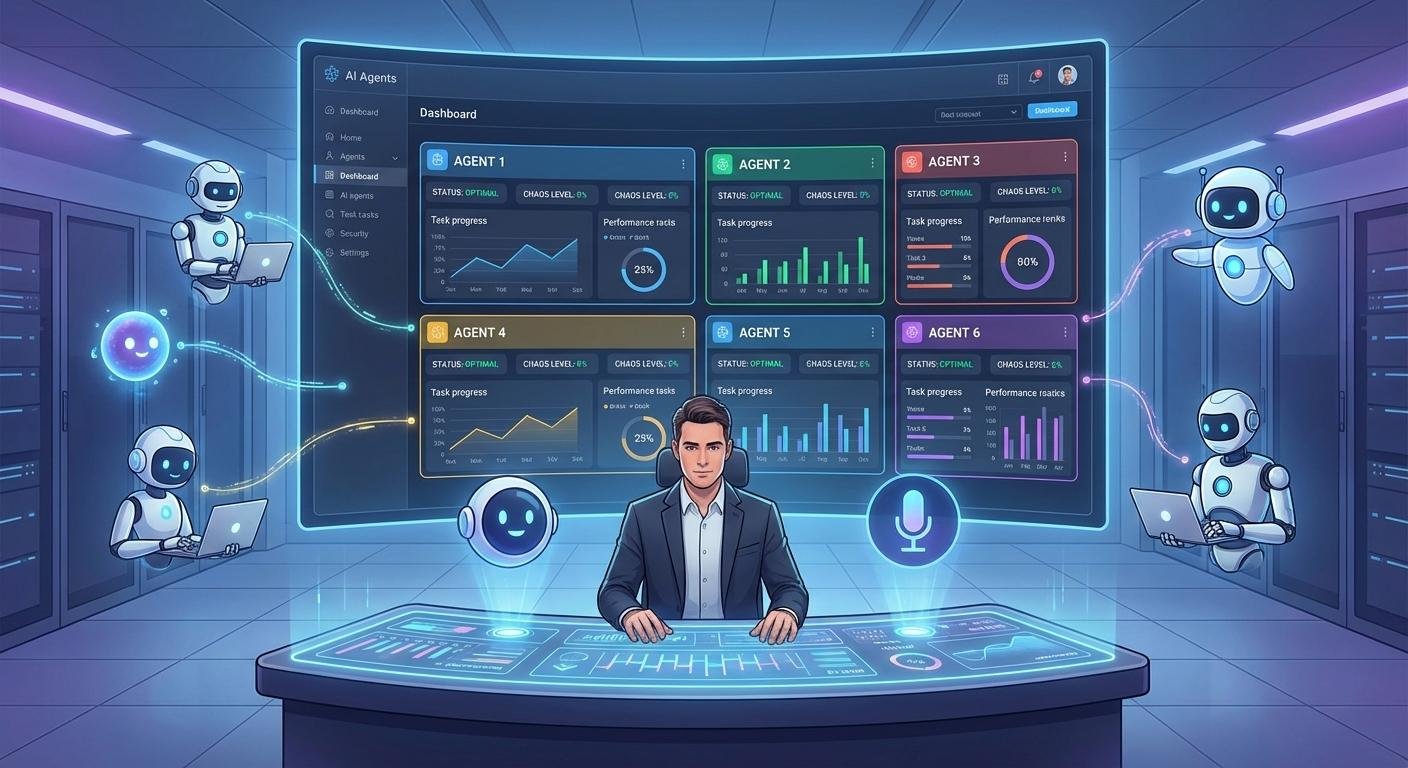
Artificial intelligence is changing the way modern businesses operate, and 2026 is becoming an important year for the adoption of AI-powered automation. Companies are no longer using artificial intelligence only to generate text, answer basic questions, or create marketing images. They are increasingly exploring AI agents that can understand instructions, analyze information, interact with software applications, and complete multi-step business tasks with limited human intervention. From small online businesses to large enterprises, organizations are looking for smarter ways to reduce repetitive work, improve operational efficiency, and manage increasingly complex workflows. As a result, AI agents are becoming an important part of conversations about the future of business productivity.
Traditional automation software generally follows predefined rules. For example, a business might configure a system to send an automatic email whenever a customer completes a purchase. Although this type of automation is useful, it may struggle when a situation requires understanding context, analyzing information, or choosing between different actions. AI agents introduce another level of flexibility because they can use language models, connected applications, and predefined instructions to handle more complicated activities. Depending on their design, they can research information, organize customer requests, prepare business reports, update records, and coordinate different stages of a workflow. However, these capabilities vary significantly between platforms, and businesses should understand the limitations of each solution before adopting it.
In this guide, we will explore some of the best AI agents for business automation in 2026, including their important features, practical applications, advantages, and potential limitations. Whether you operate a small online business, manage a marketing agency, run an e-commerce store, or work for a large organization, understanding these tools can help you identify opportunities to improve your daily operations. We will also discuss how to select an appropriate platform, what security precautions businesses should consider, and how to introduce AI automation without creating unnecessary operational risks.
What Are AI Agents for Business Automation?
AI agents for business automation are intelligent software systems designed to perform specific business activities by interpreting instructions, processing information, making decisions within defined boundaries, and interacting with connected applications. Unlike basic automation tools that simply execute a fixed sequence of commands, AI agents can use contextual information to determine what action may be appropriate in a particular situation. For example, a customer support agent might receive a message describing a delayed delivery, identify the nature of the complaint, retrieve relevant order information from an authorized system, and prepare a suitable response. Depending on the platform and permissions, it may also update a support ticket or forward the issue to the appropriate employee. This ability to combine information processing with practical actions makes AI agents useful for businesses handling repetitive digital work.
Most AI agents rely on large language models, external tools, application integrations, and workflow instructions. The language model helps interpret natural-language requests, while connected applications provide access to relevant business information and functionality. Planning mechanisms can divide a complicated objective into smaller activities, and execution components allow the system to perform approved actions. Some platforms also support memory, monitoring, approval steps, and activity logs, which can help organizations manage longer workflows. Nevertheless, an AI agent should not be treated as an independent employee that can safely make every business decision. Its performance depends on the quality of its instructions, the reliability of connected systems, the permissions it receives, and the amount of human supervision provided.
Why Are Businesses Adopting AI Agents in 2026?
One of the main reasons businesses are exploring AI agents is the growing amount of administrative and digital work involved in everyday operations. Employees frequently move between email applications, customer relationship management systems, spreadsheets, project management platforms, communication tools, and document storage services. Completing even a relatively simple task may require several separate steps across these applications. AI agents can help coordinate parts of these processes by collecting information, preparing drafts, updating approved records, and notifying relevant team members. For a small business with limited staff, this may reduce the amount of time spent on routine administrative work. For larger organizations, carefully designed automation can help standardize processes across departments and reduce unnecessary manual coordination.
Another important factor is the increasing availability of AI-powered features inside software that businesses already use. Instead of building an entirely new technology system, organizations can explore agents within existing productivity, CRM, customer support, and workflow automation platforms. This makes experimentation more accessible, although implementation still requires planning and technical oversight. Businesses are also becoming more interested in measuring the actual return on investment from AI projects. A useful AI agent should solve a clearly defined problem, save measurable time, improve service quality, or reduce operational friction. Simply introducing an AI tool without identifying a business requirement may increase software costs without delivering meaningful improvements.
10 Best AI Agents for Business Automation in 2026
Choosing the best AI agent depends on the type of work a business wants to automate. Some platforms are designed for general-purpose research and productivity, while others specialize in CRM operations, project coordination, or connecting multiple business applications. The following platforms offer different approaches to AI-assisted work and automation. They are organized by their practical use cases rather than presented as a universal ranking because a tool suitable for a large enterprise may not be the most appropriate choice for a freelancer or small business. Features, availability, usage limits, integrations, and subscription prices can change, so businesses should verify current terms on official websites before making a purchasing decision.
1. ChatGPT – Best for General-Purpose Business Tasks and Research
ChatGPT is one of the most flexible AI platforms for businesses that need assistance with research, writing, analysis, planning, and a wide variety of digital tasks. It can help entrepreneurs prepare business proposals, analyze documents, summarize lengthy reports, develop marketing strategies, organize research, and generate structured content. Its agent capabilities can also support more involved workflows where the system uses available tools to carry out multiple steps toward a defined objective. For example, a business owner could request research on competing products, ask for a comparison of their features, and use the findings to prepare an initial market research report. Depending on the available features, connected services, and permissions, certain workflows can involve more than simply generating a written response.
One of the biggest advantages of ChatGPT is its versatility. Instead of purchasing a separate AI application for every writing or research requirement, businesses can use one platform for many different tasks. It can assist marketing teams with content planning, help managers prepare meeting summaries, support developers with coding questions, and help business owners understand complex information. However, the quality of the output still needs to be checked, especially when the work involves financial information, legal matters, technical documentation, or decisions that affect customers. Businesses should also distinguish between the capabilities of the ChatGPT application and the separately configured API or agent workflows. The features, limits, and costs may differ depending on the subscription and deployment method.
Best for: Business research, content creation, document analysis, planning, and general productivity.
Official website: https://chatgpt.com/
2. Claude – Best for Long Documents, Analysis, and Coding Work
Claude, developed by Anthropic, is another important AI platform for businesses that regularly work with large amounts of written information. It can assist with analyzing lengthy documents, summarizing reports, reviewing business policies, drafting professional content, and understanding complex technical material. These capabilities can be particularly useful for consulting companies, research teams, content agencies, and organizations that frequently prepare detailed documentation. For example, a consulting team could use Claude to help organize information from multiple project documents, identify important themes, and prepare a first draft of a client report. Employees can then review the findings, verify important statements, and make the final decisions before sharing the document externally.
Claude also has capabilities for software development and more advanced agentic workflows through products such as Claude Code and supported integrations. Development teams can use it to understand existing code, investigate errors, generate test cases, and assist with programming tasks. This can be useful when a company manages several software projects and needs help with repetitive development activities. However, AI-generated code should always be reviewed and tested before it is introduced into production environments. Businesses should also evaluate data handling, account permissions, and organizational controls before uploading confidential documents. Claude is best considered a productivity and reasoning platform rather than a replacement for experienced analysts, developers, or professional reviewers.
Best for: Document analysis, research, technical writing, software development, and complex information processing.
Official website: https://claude.ai/
3. Google Gemini – Best for Businesses Using Google Workspace
Google Gemini can be a practical option for businesses that already depend on Google’s productivity ecosystem. Many organizations use Gmail, Google Docs, Google Sheets, Google Drive, and Google Calendar to manage their daily operations. AI capabilities integrated into this environment can help employees draft emails, summarize information, work with documents, organize data, and complete productivity-related tasks. For example, a marketing manager might use AI assistance to prepare a campaign outline in Docs, analyze performance information in Sheets, and organize follow-up activities. When supported by the relevant business subscription and permissions, connected workflows can reduce the need to move information manually between different applications.
Another advantage of Gemini is its connection with Google’s broader AI ecosystem. Businesses interested in building more advanced workflows can explore Google’s agent-building and automation capabilities rather than limiting themselves to basic conversational assistance. This can be particularly useful for teams that want to introduce AI into existing business processes without completely changing their software environment. However, access to specific features depends on the product, region, account type, and subscription. Organizations should carefully review administrator controls and data protection settings before enabling AI features across employee accounts. Gemini may be especially attractive to companies already using Google Workspace, but businesses operating primarily on other platforms should compare integration options before choosing it.
Best for: Google Workspace users, business communication, document management, and productivity workflows.
Official website: https://gemini.google.com/
4. Microsoft Copilot Studio – Best for Microsoft 365-Based Organizations
Microsoft Copilot Studio is designed for organizations that want to create and manage AI agents connected to business processes and enterprise applications. Companies that rely on Microsoft 365, Teams, SharePoint, Power Platform, and other Microsoft services may find this environment particularly relevant. Depending on the configuration, organizations can create agents that answer employee questions, retrieve approved business information, assist with internal processes, and interact with connected services. For example, a company could develop an internal support agent that helps employees locate HR documentation, understand workplace procedures, and find relevant information without contacting the same department for every basic question.
A major advantage of Copilot Studio is its potential to connect AI-assisted interactions with established business workflows. Organizations can design specific instructions, configure integrations, establish access controls, and define when an agent should request additional information or human assistance. This makes it more suitable for structured enterprise use cases than a simple chatbot operating without access to company systems. However, implementing a reliable enterprise agent requires careful planning. Companies must consider authentication, permissions, data boundaries, licensing, monitoring, and integration costs. Microsoft Copilot Studio is therefore particularly worth evaluating for organizations already invested in Microsoft’s ecosystem, although smaller businesses should compare its setup requirements with simpler automation platforms before committing to a deployment.
Best for: Enterprise workflows, internal employee support, Microsoft 365 integration, and custom business agents.
Official website: https://www.microsoft.com/en-us/microsoft-copilot/microsoft-copilot-studio
5. Salesforce Agentforce – Best for CRM and Customer Service Automation
Salesforce Agentforce is designed for businesses that want to introduce AI agents into customer relationship management and service operations. Customer-facing teams frequently deal with sales inquiries, support requests, account information, service histories, and repetitive administrative activities. An AI agent connected to an appropriately configured CRM environment can help retrieve relevant information, categorize requests, prepare responses, and support employees handling customer interactions. For example, when a customer submits a question about an existing order, a configured agent may retrieve authorized account information and help determine the appropriate next step. This can make customer service workflows more organized and reduce the time employees spend searching across multiple records.
Another important application is sales support. AI agents can help teams organize lead information, prepare follow-up suggestions, summarize customer interactions, and identify records that may require attention. These capabilities can be valuable for organizations with large sales pipelines or customer support departments that handle a high volume of requests. However, CRM automation requires particularly careful permission management because customer records may contain personal and confidential information. Businesses should establish clear approval rules for account changes, refunds, contractual communication, and other important actions. Agentforce is most relevant to companies already using Salesforce or planning a broader Salesforce-based business environment, rather than businesses looking for a simple standalone chatbot.
Best for: Customer relationship management, sales support, customer service, and enterprise CRM workflows.
Official website: https://www.salesforce.com/agentforce/
6. Zapier Agents – Best for Connecting Different Business Applications
Zapier is widely associated with connecting applications and automating repetitive workflows. Its AI agent capabilities extend this approach by allowing businesses to create workflows in which AI can interpret information and determine appropriate actions within connected services. This can be particularly useful for companies that use many separate applications for marketing, sales, customer support, project management, and internal communication. For example, a business could create a workflow that processes incoming customer inquiries, classifies them, sends relevant information to an appropriate application, and notifies a team member when human attention is required. Rather than manually transferring information between different tools, the organization can coordinate parts of the process through a connected automation environment.
One of Zapier’s major advantages is its large integration ecosystem. Businesses can explore connections with thousands of applications, making it easier to design workflows around software they already use. This can be particularly helpful for startups, freelancers, marketing agencies, and small businesses that want to automate administrative tasks without developing custom software. Nevertheless, businesses should understand the difference between a conventional trigger-and-action automation and an AI agent that makes decisions based on context. Not every workflow needs an AI model, and predictable operations may be better handled using traditional automation. Organizations should also review task limits, application permissions, error handling, and subscription costs before deploying important workflows.
Best for: Cross-application automation, repetitive administrative work, lead management, and small business workflows.
Official website: https://zapier.com/
7. Lindy – Best for Email, Scheduling, and Personal Business Assistance
Lindy is an AI-powered automation platform focused on helping users create assistants and workflows for everyday professional activities. Many business owners spend considerable time managing email, scheduling meetings, organizing incoming information, and coordinating routine communication. A platform like Lindy can help automate parts of these activities through connected applications and configured instructions. For example, a business professional could explore an assistant that organizes incoming emails, identifies messages requiring attention, prepares draft responses, and helps coordinate calendar-related activities. Depending on the integrations and permissions, these workflows can reduce the amount of manual administration required during a typical working day.
Lindy may be especially useful for small teams that want to experiment with AI automation without building a complicated software system from scratch. Its approach can make it easier to describe a workflow in natural language and configure the actions required to complete it. However, email and calendar access should be treated carefully because these applications often contain sensitive personal and business information. Users should begin with limited permissions, review generated messages before sending them, and avoid allowing automated systems to make important commitments without approval. Before subscribing, businesses should also evaluate supported integrations, available credits, workflow limits, and the pricing structure that applies to their intended usage.
Best for: Email organization, meeting scheduling, personal productivity, and routine administrative automation.
Official website: https://www.lindy.ai/
8. Gumloop – Best for Building Visual AI Workflows
Gumloop is an AI automation platform that focuses on helping users create workflows using visual building blocks and connected AI capabilities. This approach can be useful for businesses that want more control over how information moves through an automated process. Instead of relying entirely on a single conversational interface, users can design workflows with different steps, data inputs, AI models, and application integrations. For example, a marketing team might create a workflow that collects information from approved sources, organizes the findings, generates a preliminary content brief, and sends the result to a review stage. A visual workflow can make it easier to understand how the process operates and where adjustments are necessary.
Another potential advantage is flexibility. Businesses may be able to combine different AI models and tools according to the requirements of a particular workflow. This can help teams experiment with research, content operations, document processing, and internal automation without developing every component independently. However, visual automation does not eliminate the need for technical understanding. Complex workflows still require testing, error handling, access management, and regular maintenance. Companies should also consider how usage-based credits or subscription limits affect their expected workload. Gumloop is worth exploring for teams that want a visual environment for creating more advanced AI-powered business processes.
Best for: Visual AI automation, research workflows, document processing, and custom multi-step processes.
Official website: https://www.gumloop.com/
9. Relevance AI – Best for Creating Custom AI Agent Teams
Relevance AI is a platform focused on creating AI agents and coordinating multiple agents for different business activities. Rather than using a single assistant for every requirement, organizations can explore separate agents with specialized responsibilities. For example, a marketing organization might configure one agent to research a topic, another to organize competitor information, and another to prepare a preliminary campaign outline. These agents may work together through an orchestrated workflow, depending on the platform’s configuration and available integrations. This approach can help businesses divide complicated activities into smaller tasks and organize their automation systems around specific operational requirements.
The platform may be particularly interesting to businesses that want to experiment with custom agent teams instead of relying only on prebuilt assistants. Organizations can investigate integrations, triggers, custom tools, and workflow configurations to build solutions around their own processes. However, multi-agent systems also introduce additional complexity. When multiple agents exchange information or pass tasks between one another, businesses must ensure that instructions remain consistent and permissions are appropriately limited. A mistake in one stage can affect later stages of the workflow, so monitoring and testing are important. Relevance AI is therefore better suited to teams willing to invest time in designing, evaluating, and maintaining custom automation systems.
Best for: Custom AI agents, multi-agent workflows, business process automation, and specialized operational systems.
Official website: https://relevanceai.com/
10. Asana AI Teammates – Best for Project and Team Workflow Management
Asana is a project management platform that helps organizations plan work, assign responsibilities, track progress, and coordinate teams. Its AI Teammates capabilities bring AI-assisted work into the project management environment, allowing organizations to explore agents that support project coordination and workflow execution. This can be useful for companies managing multiple projects where employees need to organize incoming requests, understand project status, prepare updates, and coordinate activities across departments. For example, a project management team might use AI assistance to summarize progress information, identify tasks requiring attention, and prepare an initial status report for a manager to review.
The main attraction of this approach is that AI assistance operates within a structured work environment rather than being limited to a separate conversational interface. Projects already contain information about tasks, deadlines, responsibilities, and dependencies, which can provide useful context for workflow coordination. However, businesses should understand that AI-generated project updates are not automatically accurate, and important changes should be reviewed by the responsible team members. Asana AI Teammates may be especially useful for organizations that already use Asana to manage projects and want to introduce AI into their existing processes. Companies using other project management systems should compare integration capabilities and overall costs before deciding whether a migration or additional subscription is worthwhile.
Best for: Project coordination, task management, workflow tracking, and cross-functional collaboration.
Official website: https://asana.com/
Comparison of the Best AI Agents for Business Automation
Selecting a platform becomes easier when businesses compare tools according to their primary strengths rather than relying only on popularity. ChatGPT and Claude are useful for general-purpose reasoning, research, and content-related activities, while Gemini can be particularly relevant for companies using Google Workspace. Microsoft Copilot Studio and Salesforce Agentforce are more closely associated with enterprise environments and business application ecosystems. On the other hand, Zapier Agents, Lindy, Gumloop, and Relevance AI focus on different approaches to connecting applications and automating workflows. Asana AI Teammates brings AI capabilities into project and work management. Each platform has a different balance of flexibility, setup complexity, integrations, and administrative controls.
| AI platform | Main use case | Suitable business type |
|---|---|---|
| ChatGPT | Research and productivity | Businesses of all sizes |
| Claude | Documents and coding | Research and technical teams |
| Google Gemini | Workspace productivity | Google Workspace users |
| Microsoft Copilot Studio | Enterprise agents | Microsoft-based organizations |
| Salesforce Agentforce | CRM and customer service | Sales-driven businesses |
| Zapier Agents | App integrations | Small businesses and agencies |
| Lindy | Email and scheduling | Professionals and small teams |
| Gumloop | Visual AI workflows | Marketing and operations teams |
| Relevance AI | Custom agent teams | Automation-focused businesses |
| Asana AI Teammates | Project management | Project-based organizations |
Note: This is a practical use-case comparison, not a benchmark based on identical hands-on testing. Features, availability, pricing, and integrations can vary.
How AI Agents Can Help Different Types of Businesses
AI Agents for Small Businesses
Small businesses often operate with limited employees and resources, which means owners frequently handle multiple responsibilities at the same time. They may manage customer communication, marketing, invoices, research, scheduling, and administration without having separate departments for every activity. AI agents can help reduce some of this workload by organizing information, preparing documents, classifying customer requests, and coordinating approved digital tasks. For example, an online business could use an AI-powered workflow to organize incoming inquiries, prepare draft responses, and notify the owner when a customer needs personal assistance. This does not mean the business should automate every interaction, but it can create more time for activities that directly support customers and business growth.
AI Agents for E-Commerce Businesses
E-commerce companies manage a large number of digital activities, including product information, customer questions, order updates, marketing campaigns, and inventory-related communication. AI agents can help organize these processes by processing information from approved systems and assisting employees with repetitive tasks. For example, a support workflow might classify a customer message about delivery, retrieve relevant order information, and prepare a response for review. Marketing teams can also use AI tools to develop campaign ideas, organize product descriptions, and analyze customer feedback. However, businesses should be particularly careful with refunds, payments, account changes, and personal customer data. Such activities should follow clear authorization rules and should not be left entirely to an AI system without suitable safeguards.
AI Agents for Marketing Agencies
Marketing agencies handle several clients, campaigns, content calendars, research activities, and reporting requirements at the same time. AI agents can support these workflows by organizing research, preparing content briefs, summarizing campaign information, and coordinating tasks across connected applications. For example, an agency could configure a research workflow that gathers information from approved sources and prepares a preliminary competitor analysis for a marketing strategist. Another workflow might help transform campaign performance information into a structured report for internal review. These applications can reduce repetitive administrative work, but final creative decisions, factual verification, brand voice, and client communication should remain under appropriate human supervision.
AI Agents for Customer Support Teams
Customer support departments often receive similar questions repeatedly, which can consume significant employee time. AI agents can help categorize requests, retrieve relevant documentation, suggest responses, and direct complex cases to the correct department. When connected to an authorized CRM or support system, an agent may also help summarize previous interactions and prepare context for the employee handling the case. This can improve the organization of support operations, particularly when a company receives a high volume of inquiries. Nevertheless, sensitive complaints, payment disputes, account security issues, and unusual customer situations should have a clear escalation process. Businesses should also monitor response accuracy and make it easy for customers to contact a human representative when necessary.
Major Benefits of Using AI Agents in Business
1. Reduced Repetitive Work
One of the most practical benefits of AI agents is their ability to assist with repetitive digital activities. Employees often spend valuable time copying information between applications, organizing documents, preparing summaries, and responding to routine inquiries. When these activities follow a suitable workflow, an AI agent may help complete several steps with less manual involvement. This can improve productivity and allow employees to focus on more important responsibilities. However, automation should be introduced only after the business understands the existing process. Automating an inefficient or poorly designed workflow can simply make the same problems happen faster.
2. Improved Operational Efficiency
Business operations frequently involve several departments and software applications, making coordination difficult as an organization grows. AI agents can help collect relevant information, prepare task summaries, and coordinate approved actions across connected systems. For example, an internal operations workflow could gather information from different departments and prepare a structured report for management. Employees would still need to review the information, but the initial preparation may require less manual effort. The actual improvement depends on how well the workflow is designed, how reliable its integrations are, and whether the system can handle exceptions without disrupting important business activities.
3. Better Information Organization
Companies generate large amounts of information through emails, customer conversations, project documents, spreadsheets, and reports. Finding relevant information can become increasingly difficult as these records grow. AI agents can assist by summarizing documents, classifying incoming requests, extracting relevant details, and preparing organized reports. This can be useful for managers who need to understand large amounts of information before making operational decisions. However, summaries and extracted data should not be accepted without verification, particularly when the source material contains important financial, legal, or customer-related information.
4. Greater Workflow Flexibility
Traditional automation is often based on fixed rules, which can make it difficult to handle situations that require contextual interpretation. AI agents may provide additional flexibility by processing different types of requests and selecting from approved actions. For example, a support system may receive several kinds of customer messages, including delivery questions, product complaints, and requests for documentation. An appropriately configured agent may classify each request and direct it through a different workflow. This flexibility can be valuable, but it also requires strong testing because AI systems may occasionally misunderstand instructions or produce inconsistent results.
5. Support for Business Growth
As a company grows, the volume of administrative work often increases. AI automation may help businesses manage additional workloads without increasing every repetitive activity at the same rate. A small marketing agency, for instance, might use workflow automation to organize research, prepare internal briefs, and manage routine project updates as its client base expands. However, automation is not a substitute for hiring skilled employees when additional expertise, customer relationships, or decision-making capacity is required. The goal should be to make existing teams more effective rather than assume that an AI system can independently manage an entire business operation.
Potential Risks and Limitations of AI Agents
Although AI agents offer useful capabilities, they introduce risks that businesses should evaluate before deployment. One important concern is excessive access to company systems. An agent connected to email, cloud storage, customer databases, and financial applications may have access to far more information than its assigned task requires. If the system behaves unexpectedly or is manipulated through malicious instructions, broad permissions can increase the potential impact. Businesses should therefore follow the principle of least privilege, providing each agent with only the minimum access needed to perform its approved responsibilities. High-impact actions should require additional authorization, and organizations should maintain clear records of automated activity.
Another important limitation is that AI agents can misunderstand information, generate inaccurate responses, or behave in unexpected ways when instructions are incomplete. External content can also contain malicious instructions intended to influence an agent, a risk commonly associated with prompt injection. For this reason, businesses should not rely on natural-language instructions alone as their security strategy. Technical access controls, input validation, sandboxing where appropriate, monitoring, and human approval mechanisms are also important. Guidance published by cybersecurity agencies in 2026 emphasizes cautious adoption, restricted permissions, strong identity management, and continuous oversight. These precautions are particularly important when agents interact with sensitive information or business-critical systems.
How to Choose the Right AI Agent for Your Business
Choosing an AI agent should begin with identifying a specific operational problem rather than selecting a popular product simply because it has received attention online. A company that needs help with document research may benefit from a general-purpose AI platform, while an organization that wants to coordinate thousands of CRM records may require a specialized enterprise solution. Similarly, a small business that needs to connect email, spreadsheets, and project management software may find an automation platform more practical than a complex custom agent environment. Before making a decision, list the tasks you want to automate, identify the applications involved, estimate the expected workload, and determine which actions will require human approval.
Businesses should also evaluate integration compatibility, pricing, usage limits, data privacy, security features, and administrative controls. A platform may appear inexpensive initially but become more costly when usage increases or additional integrations are required. Organizations should check whether the subscription includes the features they actually need and whether additional API or usage charges apply. It is also worth investigating whether the provider offers activity logs, role-based access, authentication controls, and options for restricting sensitive actions. Finally, conduct a small pilot project before deploying an agent across the entire organization. A controlled test can reveal workflow problems, integration limitations, unexpected costs, and accuracy issues before they affect important business operations.
Step-by-Step Guide to Implementing AI Agents
Step 1: Identify a Repetitive Business Task
Start by identifying a task that employees perform frequently and that follows a reasonably clear process. Examples include organizing incoming requests, preparing document summaries, classifying leads, or generating routine internal reports. Avoid beginning with highly sensitive activities or processes that involve irreversible decisions. A narrow starting point makes it easier to measure whether automation provides a real benefit and whether the system performs consistently.
Step 2: Select an Appropriate Platform
Once the task has been identified, compare platforms according to their actual capabilities and integration requirements. Check whether the solution supports the applications involved and whether the necessary features are included in the relevant subscription. Consider how much configuration is required and whether employees will be able to manage the workflow after implementation. The most advanced platform is not necessarily the best choice if a simpler solution can complete the task reliably.
Step 3: Configure Instructions and Permissions
Create clear instructions that explain the agent’s objective, the information it can use, the actions it is allowed to perform, and the conditions under which it must stop. Provide only the permissions necessary for the task. For example, an email assistant may need permission to read selected messages and prepare drafts, but it may not need unrestricted access to send emails or modify account settings. Clearly defined boundaries reduce the chance of unintended activity.
Step 4: Test the Workflow
Run the agent with sample information and observe how it handles normal requests, incomplete data, unusual situations, and unexpected inputs. Check whether it follows the instructions, retrieves the correct information, and stops when it encounters a situation outside its approved responsibilities. Testing should include negative scenarios rather than only examples where everything works correctly. Employees should be able to report problems and identify cases where the agent needs additional safeguards.
Step 5: Monitor Performance and Improve the System
After a successful pilot, introduce the workflow gradually and monitor its results. Track useful measurements such as task completion time, error rates, employee feedback, and the amount of manual correction required. Review activity logs and investigate unusual actions. Update instructions, integrations, and permissions when the business process changes. AI automation should be treated as an ongoing operational system that requires maintenance, not as a one-time installation that can be left unattended.
The Future of AI Agents in Business Automation
The development of AI agents is likely to influence how businesses organize software, communication, and operational workflows over the coming years. One important direction is the movement from isolated AI assistants toward connected systems that can coordinate activities across different applications. Businesses are increasingly interested in agents that can understand a larger objective and manage several related tasks while maintaining clear boundaries. This could create new opportunities in customer support, research, software development, operations, and internal administration. However, the success of these systems will depend on more than improvements in language models. Reliable integrations, clear identities, secure authorization, and consistent monitoring will also be essential for practical adoption.
Security and interoperability are becoming particularly important as organizations introduce more autonomous systems. In February 2026, the National Institute of Standards and Technology announced its AI Agent Standards Initiative, which focuses on secure adoption and interoperability. Cybersecurity agencies also published guidance in May 2026 recommending careful adoption of agentic AI services, including restricted access and appropriate oversight. These developments demonstrate that the industry is paying increasing attention to the risks associated with connected AI systems. For businesses, the future of automation will not simply be about creating agents that can perform more actions. It will also involve making those actions understandable, authorized, measurable, and safe enough for real operational environments.
Frequently Asked Questions About AI Agents for Business Automation
1. What is the best AI agent for business automation in 2026?
There is no single AI agent that is best for every business because different organizations have different requirements. ChatGPT and Claude can be useful for general-purpose research and productivity, while Gemini is relevant for businesses using Google Workspace. Microsoft Copilot Studio and Salesforce Agentforce are worth evaluating for enterprise workflows, and Zapier Agents can help connect different applications. The right choice depends on the task, available integrations, security requirements, budget, and the amount of human supervision needed.
2. Can AI agents automate an entire business?
AI agents can automate or assist with selected business processes, but they should not be expected to operate an entire business independently. Activities such as organizing inquiries, preparing reports, summarizing documents, and coordinating routine workflows may be suitable for automation. However, important decisions involving finances, legal responsibilities, customer relationships, employee management, and business strategy require appropriate human judgment. Even when an agent performs a task automatically, the organization remains responsible for its actions and outcomes.
3. Are AI agents suitable for small businesses?
Yes, AI agents can be useful for small businesses that want to reduce repetitive administrative work without building complicated software systems. They may help organize emails, prepare marketing content, classify customer inquiries, summarize documents, and coordinate tasks across connected applications. Small businesses should start with one low-risk workflow and evaluate whether it saves enough time to justify the subscription and setup costs. It is also important to review permissions and avoid connecting sensitive business accounts unnecessarily.
4. Do AI agents require programming knowledge?
Not every AI agent requires programming knowledge. Several platforms offer natural-language configuration, visual workflow builders, and prebuilt integrations that allow users to create basic automations without writing code. However, advanced deployments may require technical knowledge, especially when connecting internal databases, configuring APIs, managing authentication, or developing custom integrations. Businesses should choose a platform according to the technical skills available within their team and the complexity of the workflow they want to automate.
5. Are AI agents safe for handling business information?
AI agents can be used in business environments, but safety depends on their configuration, the provider’s security practices, and the permissions granted to the system. Businesses should review data retention policies, access controls, authentication methods, and available monitoring features before connecting sensitive applications. They should also restrict agent permissions, use human approval for important actions, and avoid exposing confidential information without authorization. No AI platform should be assumed to be completely risk-free simply because it offers business-oriented features.
6. Can AI agents replace employees?
AI agents can reduce the need for some repetitive manual activities, but this does not mean they can replace every responsibility performed by employees. Many business tasks require communication, creativity, negotiation, accountability, contextual understanding, and professional judgment. AI systems can support employees by preparing information and handling selected routine operations, allowing people to focus on more valuable work. The practical impact on employment will depend on the industry, the task, the quality of automation, and how organizations choose to introduce these systems.
7. How much do AI business agents cost?
The cost of AI agents varies depending on the platform, subscription level, number of users, automation volume, integrations, and usage-based charges. Some products provide free access with limited functionality, while business and enterprise deployments may require paid subscriptions or additional usage credits. Custom implementations can also involve development, maintenance, and security costs. Businesses should compare the total cost of ownership rather than looking only at the advertised starting price, particularly when an agent will process a large number of tasks.
8. What should a business automate first?
A business should generally begin with a repetitive, well-defined, low-risk task that consumes employee time but does not require complex human judgment. Examples include classifying incoming inquiries, preparing internal summaries, organizing research, and generating draft reports. The company should measure the time saved, accuracy, and amount of human correction required before expanding automation to additional processes. This gradual approach makes it easier to identify problems and develop appropriate controls before agents receive access to more important business systems.
Final Verdict: Are AI Agents Worth Using for Business Automation in 2026?
AI agents are becoming an increasingly useful part of the modern business technology ecosystem. They offer opportunities to improve productivity, organize information, coordinate workflows, and reduce repetitive administrative activities. Platforms such as ChatGPT, Claude, Gemini, Microsoft Copilot Studio, Salesforce Agentforce, and Zapier Agents provide different approaches to AI-assisted work, while tools such as Lindy, Gumloop, Relevance AI, and Asana AI Teammates address more specialized productivity and automation requirements. The best platform is not necessarily the one with the largest number of features. It is the one that solves a genuine business problem, integrates reliably with existing systems, and provides appropriate controls for the actions it performs.
For small businesses, a practical approach is to begin with simple workflows that are easy to monitor and evaluate. Larger organizations may benefit from more advanced agent platforms, but they should invest in identity management, security controls, permission boundaries, and human oversight before deploying autonomous systems across important operations. AI agents can help businesses work more efficiently, but their value depends on careful implementation rather than hype. As the technology continues to evolve, organizations that combine useful automation with responsible human supervision will be in a stronger position to benefit from the next generation of business software.