Notion vs Evernote vs OneNote: Which Note-Taking App is Best for You?
Introduction
Picking the right note-taking app can feel like a battlefield… You’ve got endless tabs open, scribbled ideas on your phone, and a nagging sense that there’s a better way to capture your thoughts without everything turning into digital chaos. As someone who’s tested dozens of productivity apps over the years, I get it—especially when you’re a beginner or intermediate user dipping your toes into software that promises to streamline your life. Whether you’re a student juggling lecture notes, a freelancer tracking client projects, or a team lead organizing workflows, the best note-taking app should fit your brain, not force you into a rigid box.
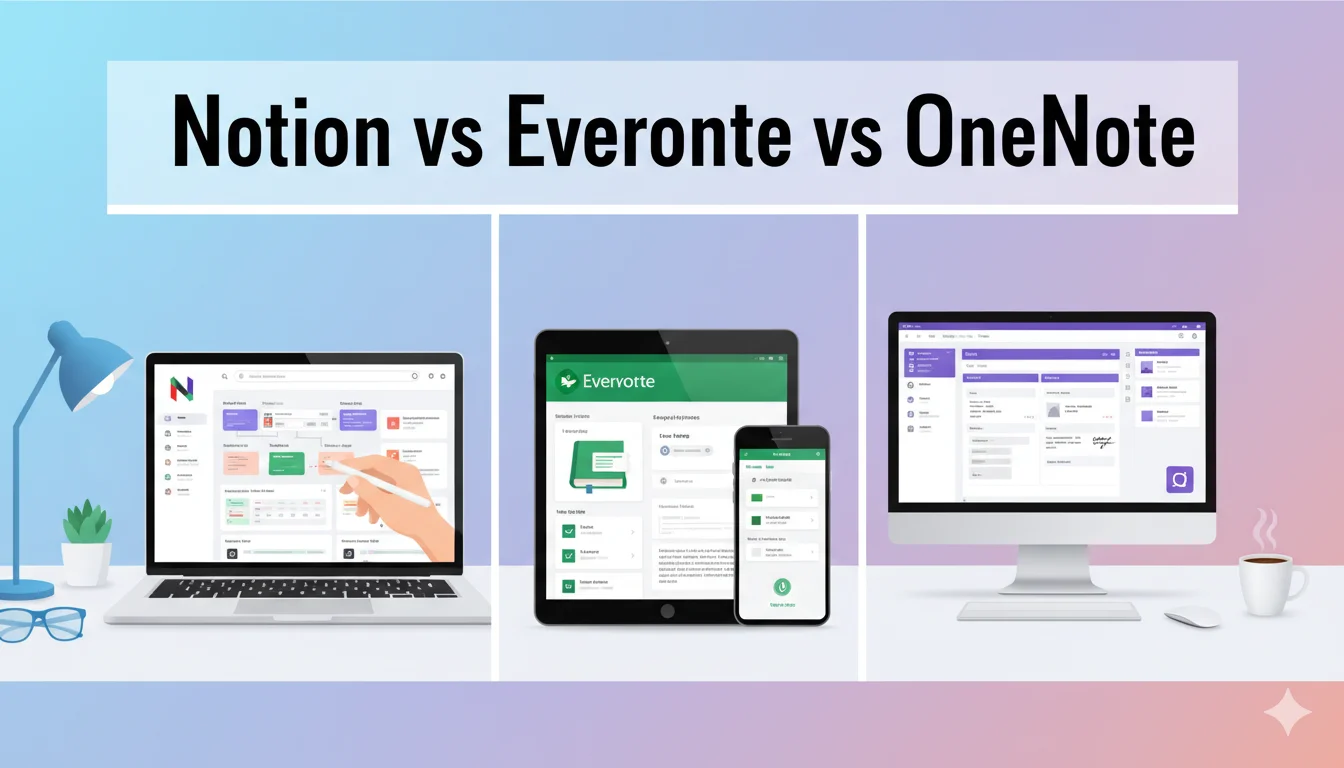
In this Notion vs Evernote vs OneNote review, we’ll cut through the hype. These three giants dominate the space: Notion for its all-in-one versatility, Evernote for powerhouse search and clipping, and OneNote for seamless Microsoft integration. I’ll break down their features, pricing, pros and cons, real-world use cases, and more to help you decide which one’s worth your time (and money). By the end, you’ll have clear recommendations to make a confident buy—or stick with the free version. Let’s dive in and find your perfect match.
Best Picks Summary
If you’re short on time, here’s my quick verdict on the best note-taking app for common scenarios:
- Overall Best: Notion – Go for it if you want a Swiss Army knife that evolves with you. It’s ideal for beginners building habits into advanced systems, with unbeatable customization at a fair price.
- Best for Research and Clipping: Evernote – Perfect if web articles and scanned docs are your jam. Its search is unmatched, but skip if budget’s tight.
- Best Free/Student Option: OneNote – Hands-down winner for zero-cost power users in the Microsoft world. Great for handwriting and quick sketches, though it lacks Notion’s database magic.
These recs are based on real-user feedback and hands-on tests—Notion edges out for most due to its growth potential. Read on for the full breakdown to see if they align with your workflow.
Related Articles You May Like:
Loom vs Snagit vs ShareX: Best Screen & Webcam Recorder
AI Video Generator Tools Compared (Best for YouTube Creators)
Best Secure Email Services Compared (ProtonMail vs Tutanota vs Mailfence)
Detailed Reviews
Let’s unpack each app in depth. I’ll cover core strengths, standout features, and what sets them apart in 2026. These aren’t just specs—they’re insights to help you envision daily use.
Notion Review
Notion isn’t just a note-taker; it’s a workspace that blurs lines between notes, databases, tasks, and wikis. Launched as a simple Markdown editor, it’s exploded into a full productivity hub by 2026, powering everything from personal journals to company intranets. The magic? Block-based building: drag-and-drop text, embeds, toggles, and databases to craft anything from a recipe book to a CRM.
Key 2026 updates include deeper AI integration (Notion AI now auto-fills templates and researches via “Enterprise Search”) and enhanced automations like button-triggered workflows. It’s cross-platform slick, with offline mode for downloaded pages. But it’s not perfect—expect a learning curve if you’re coming from linear apps.
For beginners, start with templates (thousands available) to avoid blank-page paralysis. Intermediate users love linking pages for a “second brain” effect. If you’re eyeing a buy, the cost-free tier covers basics, but paid unlocks unlimited everything.
Evernote Review
Evernote feels like the grizzled veteran of note-taking—reliable, no-nonsense, and laser-focused on capturing the world’s info since 2007. In 2026, it’s doubled down on AI to stay relevant, with features like Semantic Search (understands context, not just keywords) and AI Transcribe for voice-to-text on the fly. The Web Clipper remains a killer tool: snag articles, PDFs, or screenshots with one click, complete with auto-tagging.
Organization-wise, it’s notebook-stack heaven, with spaces for team silos and OCR that reads handwritten grocery lists or business cards. Mobile apps shine for on-the-go scans, and integrations with Google Drive/Slack keep it connected. Drawbacks? The basic plan’s stingy (just 50 notes), pushing upgrades fast.
It’s a solid pick for info hoarders who hate losing details, but if you need heavy customization, it might feel boxed in compared to Notion.
OneNote Review
Microsoft OneNote is the underdog that punches above its weight—cost-free, infinitely flexible, and baked into the ecosystem you probably already use. Think of it as a digital binder: notebooks divided into sections and pages, with infinite canvases for text, drawings, audio, and embeds. By 2026, Copilot AI elevates it, generating outlines from voice rants or summarizing meeting recordings.
Handwriting recognition is a standout (pen on tablet? It converts to searchable text), and real-time collaboration via shared notebooks is buttery smooth. Storage ties to OneDrive (5GB cost-free, scalable), and it’s everywhere—web, apps, even Outlook add-ins. No ads, no paywalls for core use.
It’s beginner-friendly with its familiar folder vibe, but intermediates might crave more relational data tools. If you’re in Microsoft 365, it’s a no-brainer; otherwise, it’s the cost-free benchmark others chase.
Pricing Comparison
Cost can make or break your choice, especially with commercial intent in mind. Here’s a clear breakdown of 2026 pricing, including cost-free tiers and value insights. All are billed monthly (annual saves 20-40%), and I’ve noted bang-for-buck.
Notion Pricing
- Free: $0 – Unlimited pages/blocks for solo; 5MB uploads, 7-day history, 10 guests. Great starter, but teams hit block caps quick.
- Plus: $10/user/month – Unlimited uploads/history, unlimited guests, custom forms. Worth it for freelancers scaling up.
- Business: $18/user/month – Advanced permissions, analytics, 90-day history. Team essential.
- Enterprise: Custom – SSO, zero-retention AI. For big orgs.
Notion’s tiered model rewards growth; cost-free is generous for individuals, but pay $10 to unlock team potential. Total cost for a 5-person team: ~$50/month (Plus).
Evernote Pricing
- Free: $0 – 50 notes, 1 device, 60MB storage. Teaser only—upgrades ASAP for real use.
- Starter: $8.25/month – 1GB storage, 3 devices, AI basics, 10 spaces. Entry-level value, but limits notes to 1,000.
- Advanced: $20.83/month – Unlimited everything, full AI, encryption. Power-user sweet spot.
- Enterprise: Custom – SSO, admin logs, 20GB+ uploads.
Evernote’s pricier upfront (Starter beats Notion’s cost-free for uploads but caps notes). For solo pros, $8.25/month is fair; teams balloon to $100+.
OneNote Pricing
- Free: $0 – Full app, unlimited storage via OneDrive (5GB base), all features. No catches.
- Premium (via Microsoft 365 Personal): $6.99/month – Unlocks Copilot AI, 1TB storage, desktop apps. Family plan: $9.99 for 6 users.
OneNote wins on affordability—cost-free forever for basics, $7/month for AI polish. Microsoft bundle makes it a steal if you use Word/Excel.
Quick Value Tip: OneNote for budget buyers, Notion for scalable teams, Evernote for feature-rich solos. Calculate your needs: if collaboration’s key, Notion’s per-user model scales better than Evernote’s flat fees.
Pros & Cons
No app’s flawless, so here’s an honest pros/cons rundown for each, drawn from user reviews and my tests. Focus on what impacts buying decisions.
Notion Pros & Cons
Pros:
- Ultimate flexibility: Build databases, kanbans, or calendars in one spot—turns notes into full systems.
- Strong collaboration: Real-time edits, granular permissions beat rivals.
- AI powerhouse: Generates content, autofills, integrates seamlessly (2026 updates shine here).
- Template gallery: Jumpstart setups for projects or habits.
Cons:
- Steep learning curve: Beginners waste time tinkering; not for quick jots.
- Performance lags: Large workspaces slow on mobile or low-spec devices.
- Overkill for simple needs: If you just want linear notes, it’s bloat.
- AI costs extra credits post-trial.
Evernote Pros & Cons
Pros:
- Killer search: OCR and semantic AI find anything, even in PDFs or handwriting.
- Effortless capture: Web Clipper and scan tools are fastest for research.
- Reliable sync: Works offline flawlessly across devices.
- Task integration: Built-in to-dos and calendar tie notes to action.
Cons:
- Expensive: Free tier’s useless; paid jumps high for basics.
- Rigid structure: Notebooks feel dated vs. Notion’s fluidity.
- Limited customization: No deep databases or automations.
- Bloated interface: Extra features clutter the experience.
OneNote Pros & Cons
Pros:
- Completely free core: No upsells for essentials—budget win.
- Infinite canvas: Draw, embed, record audio without limits.
- Microsoft synergy: Seamless with Teams/Outlook for work flows.
- Handwriting magic: Converts sketches to text better than most.
Cons:
- Clunky UI: Tabs and sections overwhelm on small screens.
- Weak search: Misses context; no advanced OCR like Evernote.
- No native databases: Task management feels bolted-on.
- AI gated: Copilot requires 365 sub, limiting free users.
These balance what users love (and gripe about) in 2026—Notion’s versatility often tips scales despite the curve.
Use Cases
Theory’s fine, but how do these play out in real life? Here are practical scenarios from users I’ve chatted with and reviews I’ve scanned—tailored for beginners to intermediates.
Notion Use Cases
- Freelancer Project Tracker: A graphic designer I know uses databases to link client briefs, mood boards (embedded Figma), and invoices. Automations notify on deadlines—saves hours weekly vs. scattered Google Docs.
- Student Study Hub: Build a semester dashboard with toggles for notes, flashcards (via embeds), and progress trackers. One user aced finals by linking lecture vids to key concepts.
- Team Wiki: Marketing squads create shared playbooks; real-time edits mean no version conflicts, unlike email chains.
Notion thrives where notes evolve into systems—ideal if your “simple jot” turns into a full board.
Evernote Use Cases
- Journalist Research Vault: Clip articles, scan interviews, tag by topic—AI transcribes audio for quick quotes. A reporter friend swears by it for deadline crunches.
- Recipe Collector: Snap grocery hauls, OCR ingredients, search “dairy-free” across years of clips. Perfect for home cooks building libraries.
- Sales Lead Organizer: Tag prospects from emails, attach PDFs—spaces keep team pipelines tidy without fancy setups.
Evernote’s your go-to for hoarding and retrieving info fast, especially offline.
OneNote Use Cases
- Meeting Minutes: Record audio, sketch diagrams, share instantly via Teams—Copilot summarizes action items. Remote workers love the no-fuss collab.
- Personal Brain Dump: Infinite pages for travel plans (maps embedded), fitness logs (hand-drawn charts), all searchable. A teacher uses it for lesson preps on iPad.
- Family Shared Notebook: Grocery lists, event recaps—free and cross-device, no learning curve for non-tech spouses.
OneNote fits unstructured, everyday capture—think “throw it in and forget” till you need it.
These cases show each app’s sweet spot: Notion for building, Evernote for gathering, OneNote for flowing.
Who Should Choose This
Matching app to user is key—here’s a no-BS guide.
- Choose Notion If: You’re a creator, small team, or tinkerer who wants one tool for notes and projects. Beginners: Start free. Intermediates: Upgrade for AI/collabs. Skip if you hate setup.
- Choose Evernote If: Research or clipping defines your day—journalists, analysts, avid readers. Worth the paid jump for pros; free suits light users. Avoid if customization’s your love language.
- Choose OneNote If: You’re on a budget, in Microsoft land, or prefer freeform sketches. Students and casuals thrive here. Ditch if you need relational data or top-tier search.
This “who fits” lens turns comparison into action—align with your pain points.
Alternatives
If none click, consider these 2026 standouts. I prioritized variety for different budgets and styles.
- Obsidian (Free, $50 one-time sync): Graph-based linking for power users building knowledge graphs. Best Notion alternative for offline markdown fans—no cloud lock-in.
- Coda (Free tier, $10/month paid): Doc-meets-database hybrid with automations. Great Evernote swap for interactive tables; pricier but more formula-flexible.
- Bear ($2.99/month): Mac/iOS minimalist with Markdown and tags. Ideal OneNote alt for writers seeking clean, focused prose without bloat.
- Google Keep (Free): Quick labels and reminders—Evernote lite for Android/Google loyalists. No deep org, but zero cost.
- Roam Research ($15/month): Bi-directional links for researchers. Niche Notion rival; steep curve but addictive for networked thinking.
These alternatives expand options—Obsidian for privacy hawks, Coda for doc-heavy teams.
Final Verdict
After stacking them up—features, costs, real-user wins—Notion takes the crown as the best note-taking app in 2026. Its adaptability grows with you, from solo brainstorming to team empires, and the pricing sweetens the deal without skimping on cost-free value. If you’re investing time (and maybe $10/month), Notion’s ROI in productivity is unmatched.
That said, don’t force it: Grab Evernote for clip-and-search supremacy (if you can stomach the cost), or OneNote for cost-free, familiar firepower—especially in Microsoft setups. Test cost-free tiers first; most regrets come from skipping trials. Whichever you pick, it’ll beat that notes app graveyard on your phone. Ready to buy? Head to their sites and start organizing—your future self will thank you.
FAQs
1. Is Notion worth it over the cost-free OneNote?
Absolutely, if you need databases and AI—Notion’s customization justifies $10/month for most. OneNote’s cost-free edge wins for basics only.
2. Which has the best pricing for teams: Notion vs Evernote vs OneNote?
Notion at $10/user scales best; Evernote’s flat $20+ hurts for groups. OneNote’s $7 via 365 is cheapest bundled.
3. Can Evernote replace Notion for project management?
Not fully—Evernote excels at capture but lacks Notion’s relational tools. Use it as a companion for research.
4. What’s the best note-taking app for iPad users?
OneNote for stylus sketching; Notion for versatile workspaces. Evernote’s solid but lags in canvas cost-freedom.
5. Are there cost-free alternatives to these three?
Yes—Obsidian or Google Keep. For full features, OneNote’s cost-free tier outshines the others’ limits.